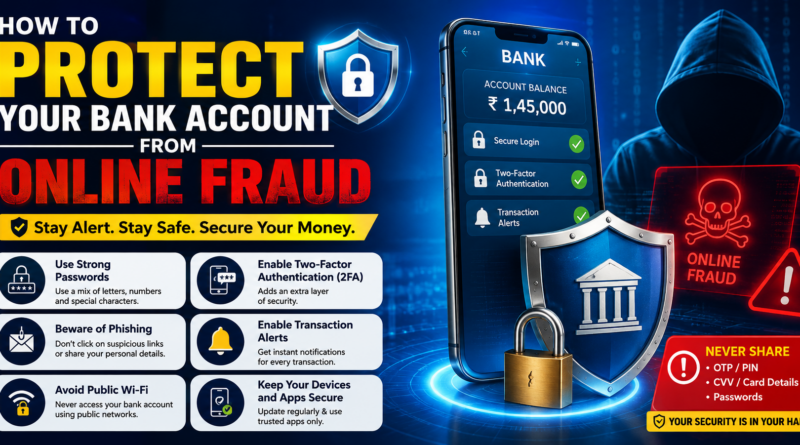
How to Protect Your Bank Account From Online Fraud
Online banking has made managing money faster and more convenient. People can transfer money, pay bills, check balances, and make purchases without visiting a bank branch. However, the increasing use of digital banking has also created new opportunities for online fraud.
Scammers may use fake calls, phishing links, fraudulent websites, fake customer-care numbers, UPI scams, and social engineering to trick people into giving away confidential information or approving transactions.
The good news is that simple security habits can significantly reduce your risk. Here are important ways to protect your bank account from online fraud.
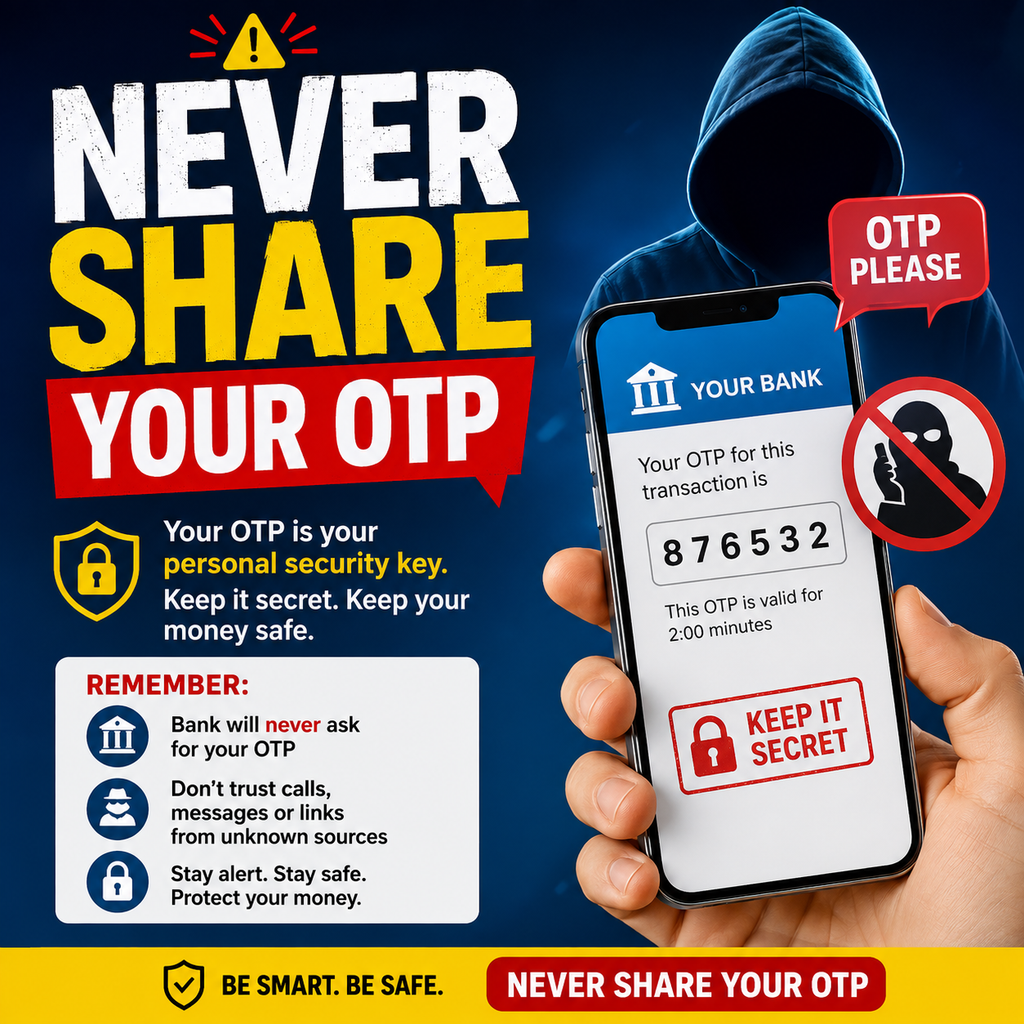
1. Never Share Your OTP
An OTP is designed to verify certain transactions or actions.
Never share an OTP with someone who calls or messages you unexpectedly, even if they claim to be a bank employee, police officer, customer-care representative, or government official.
If someone asks you to tell them the OTP, stop the conversation and verify the request independently.
2. Never Share Your UPI PIN
Your UPI PIN is confidential.
A genuine bank or payment-service representative should not ask you to reveal it over a phone call, WhatsApp message, email, or social media.
Remember that your UPI PIN is used to authorize payments. Never enter it simply because a stranger claims that you need it to receive money or a refund.
3. Don’t Click Suspicious Links
Fraudsters frequently send links through SMS, email, WhatsApp, and social media.
The message may claim that:
- Your bank account will be blocked
- Your KYC needs to be updated
- You have received a refund
- Your debit card is expiring
- You have won a reward
- A payment needs to be completed
Don’t click an unexpected link.
Instead, open your bank’s official application or website directly and check whether any action is actually required.
4. Use Only Official Banking Apps
Download banking applications only from trusted sources such as the official app store and verify that you are installing the genuine application.
Avoid APK files or applications sent through WhatsApp, Telegram, email, or unknown websites.
Keep your banking application updated to the latest available version.
5. Protect Your Banking Passwords
Use strong and unique passwords for online banking.
Avoid using easily guessed information such as your name, birthday, phone number, or simple sequences.
Never reuse your banking password on multiple websites.
If another website is compromised, reusing the same password could put your banking account at greater risk.
6. Be Careful With Fake Customer Care
Searching online for bank customer-care numbers can sometimes lead users to fraudulent websites or social-media accounts.
Use the customer-care details shown inside your official banking application, on your bank statement, debit card, or the bank’s verified official website.
Never provide confidential banking credentials to an unknown caller.
7. Don’t Allow Remote Access to Your Device
A scammer may claim that they need to fix a banking problem and ask you to install a remote-access or screen-sharing application.
Don’t install unknown applications at the request of strangers.
Remote-access software can potentially expose activity on your phone or computer.
8. Check Your Bank Statements Regularly
Review your account transactions regularly.
Look for payments, withdrawals, transfers, or other activity that you don’t recognize.
If you notice a suspicious transaction, contact your bank immediately through an official channel.
Early reporting can be important when dealing with financial fraud.
9. Enable Transaction Alerts
Turn on SMS, email, or app notifications for banking transactions when your bank provides these options.
Alerts can help you notice suspicious activity quickly.
If you receive an alert for a transaction you didn’t make, investigate it immediately.
10. Be Careful When Using Public Wi-Fi
Avoid accessing online banking through unknown or unsecured public Wi-Fi networks.
If you need to perform an important financial transaction, use a trusted internet connection whenever possible.
Also avoid saving banking passwords on shared or public computers.
11. Keep Your Phone Secure
Your phone may contain banking applications, OTP messages, emails, and personal information.
Use a strong screen lock and don’t share your device PIN with strangers.
Keep your operating system and important applications updated.
If your phone is lost or stolen, take immediate steps to secure your mobile number and banking accounts.
12. Don’t Believe Urgent Threats
Scammers often try to frighten victims.
They may say:
“Your account will be closed today.”
“Your KYC will expire in one hour.”
“Pay immediately to avoid a penalty.”
Don’t make financial decisions because someone is creating panic.
Stop and verify the information through your bank’s official channels.
13. Don’t Share Card Details Unnecessarily
Keep your debit and credit card information private.
Never share your card PIN or OTP with strangers.
Be careful when entering card details on unfamiliar websites. Before making an online payment, verify that you are using the intended and legitimate website.
14. Secure Your Email Account
Your email account may contain bank alerts, financial documents, password-reset messages, and other sensitive information.
Use a strong, unique password and enable multi-factor authentication where available.
Securing your email can provide another layer of protection for your financial accounts.
15. Know What to Do After Fraud
If you believe an unauthorized transaction has occurred, act quickly.
Contact your bank or payment provider using an official channel and report the transaction.
In India, suspected financial cyber fraud can also be reported through the official cybercrime reporting system or by calling 1930.
Keep transaction IDs, screenshots, messages, phone numbers, emails, and other evidence available when making a report.
Common Warning Signs of Online Banking Fraud
Be especially cautious when someone:
- Requests your OTP
- Asks for your UPI PIN
- Demands immediate payment
- Sends suspicious links
- Claims to be bank staff without verifiable identification
- Asks you to install remote-access software
- Promises an unexpected refund or reward
- Requests your banking password
- Threatens to block your account immediately
Any one of these situations should prompt you to stop and verify the request independently.
Conclusion
Protecting your bank account from online fraud doesn’t require complicated technical knowledge. Most importantly, you need to develop safe digital habits.
Never share your OTP, UPI PIN, banking password, or card PIN. Don’t click suspicious links, don’t install unknown applications, verify customer-care details, and regularly monitor your transactions.
If something feels urgent or suspicious, don’t panic. Stop the transaction and contact your bank through an official channel.
A few seconds of caution can protect your hard-earned money from a potentially serious online scam.